Chat Smith: AI Chatbot & Agent
- 4.1
- Rating
- 10.00M
- Installs
- Free
- Price

 Analysis by App-foxy
I tend to judge AI productivity apps by what happens after the first impressive chat. Can the tool help me move from a vague thought to a usable result, and can I fit it into a routine without creating another pile of unfinished notes? Chat Smith: AI Chatbot & Agent is aimed at that practical gap. It brings conversational help, writing support, image creation, mathematical assistance, and research-oriented work into one mobile app rather than making me switch between several specialist tools.
My overall impression is that it works best as a flexible assistant for everyday tasks, not as a replacement for careful research, a dedicated notes system, or a full office suite. The app is free to install, carries an Everyone age rating, and is developed by Smart Widget Labs Co Ltd. Its broad audience is reflected in its reach: it has passed ten million installs and holds a 4.1 average from roughly five hundred forty-five thousand ratings. Those figures suggest a mature, widely tried productivity app, although popularity alone does not make every answer reliable.
How Chat Smith fits into a sustainable productivity workflow
I find Chat Smith most sustainable when I treat it as a thinking aid, not the place where every task must live. A small habit—asking for a clear next action, then moving that action into my usual planner—keeps helpful answers from becoming another inbox to manage. The next section looks at how I make that handoff practical without adding needless steps.
You May Also Like

 Blood Strike: 2.5 Anniversary
Blood Strike’s Loadouts Turn Every Drop Into a Tactical Gamble
A close look at Blood Strike’s custom loadouts: how fast access to signature weapons reshapes its battle royale rhythm, rewards preparation, and narrows the gap between fights.

 Pandora - Music & Podcasts
Pandora’s Music Is Easy to Start, but Harder to Recover
Pandora’s strength is its low-effort path from a seed to a station. Its weak spot is how much confidence it asks you to place in connection, setup, and quiet recovery.

 8 Ball Pool
 Is Built on Rivalries, Rematches, and Routine
A close look at the rivalries, rematches, shared routines, and unanswered safety questions that turn a quick pool match into a persistent mobile community.

 Samsung Music
’s Quiet Strength Is Playing What You Already Own
Its reach comes less from spectacle than from dependable access to a personal library. That simplicity is both the app’s strongest retention engine and its ceiling.

 AccuWeather: Weather Radar
AccuWeather Review: A Quick, Clear Forecast for Everyday Decisions
For everyday plans, the best forecast is the one you can understand quickly. AccuWeather makes rain timing, radar, and local conditions easy to act on, with a few trade-offs.

 Hill Climb Racing
Why Hill Climb Racing Still Turns Crashes Into One More Run
A tiny car, a bumpy hill and one more upgrade: Hill Climb Racing keeps resurfacing because its simple chaos makes every near-miss feel personal.
More From Our News Desk



Start with the problem before opening the chat
The most useful change I made was deciding what I wanted from the app before typing. Without that small pause, an AI chatbot can become a place where I ask random questions, admire a polished response, and then do nothing with it. Chat Smith becomes more valuable when I give it a defined job: turn rough notes into an outline, explain a difficult idea in simpler language, check the logic of a calculation, or give me several starting points for a visual concept.
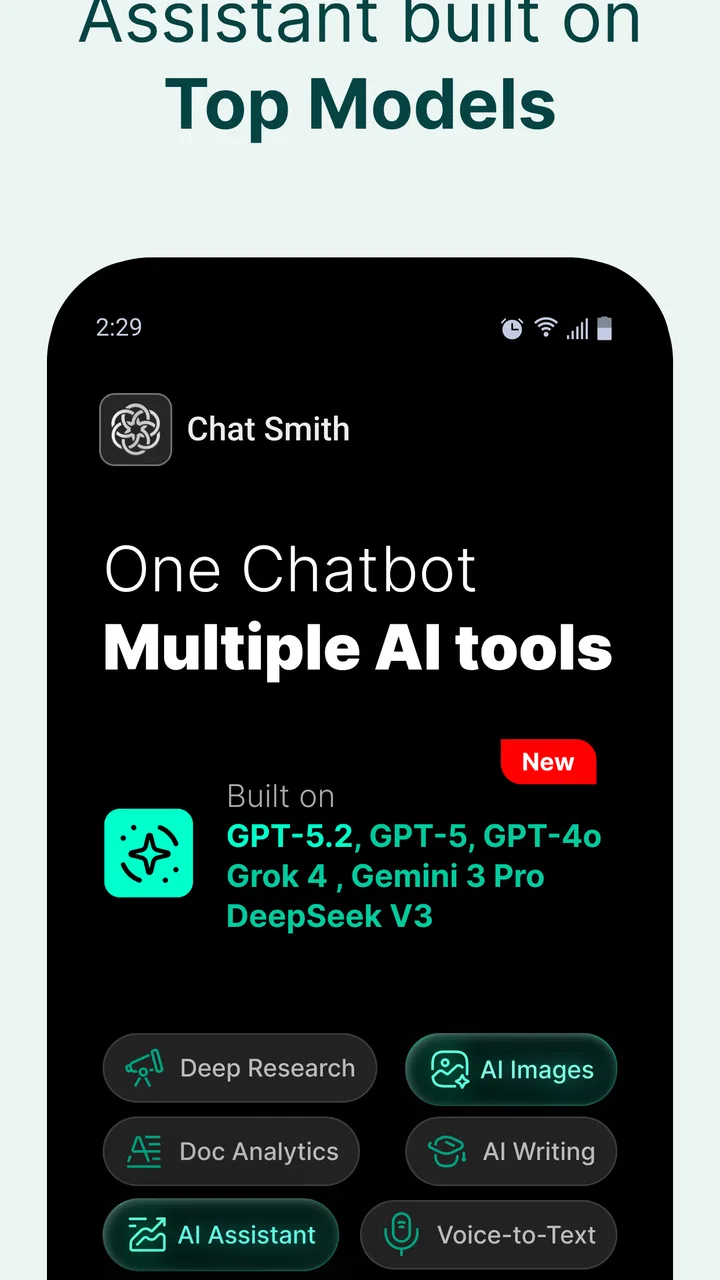
This matters because the app offers several kinds of assistance under one roof. The store summary presents it as an AI Agent with chatbot, deep research, image generation, math-solving, and writing-assistant capabilities. I see those as different stages of a workflow rather than unrelated buttons. I can capture an idea in conversation, ask for structure, refine the wording, and then use the result as a draft that still needs my judgement.
For example, if I am preparing a short presentation, I would first describe the audience, purpose, and time available. I would then ask for a simple structure instead of requesting a finished presentation immediately. After that, I can challenge the outline, ask which points are weak, and request a shorter version. This sequence produces something I can inspect. A single broad prompt often produces text that sounds complete but does not match the real situation.
I also recommend treating every response as a working document rather than a final authority. The chatbot can help me think faster, but it does not remove the need to check names, figures, claims, or tone. The research-oriented mode may be useful for gathering directions and questions, while important decisions still deserve primary sources and independent verification. That is a strength of the app when used honestly: it accelerates preparation without pretending that preparation is the same as proof.
Capture ideas in a way that can be reused
Chat is naturally good at capturing messy input. I can write a half-formed paragraph, a list of concerns, or a stream of thoughts and ask for a clearer structure. The trick is to ask for an output that I can reuse outside the conversation. “Make this better” is too vague. “Separate the decisions, open questions, and next actions” gives the reply a practical shape.
For personal planning, I might paste notes from a busy day and ask for three categories: tasks I can finish quickly, tasks that require concentration, and items that need another person. That does not magically manage my calendar, but it turns mental clutter into a more readable plan. I can then copy the useful parts into my existing task or notes app. In this role, Chat Smith acts as a sorting layer, not as the permanent home for my entire productivity system.
Writing assistance is especially helpful at the beginning and middle of a project. I use it to generate alternatives, change the reading level, remove repetition, or make a message sound less abrupt. I would not send a sensitive work email without reading it carefully, because polished wording can hide an incorrect assumption. The app can improve expression, but only I know whether the message reflects the relationship, context, and responsibility involved.
A less obvious use is asking the chatbot to preserve uncertainty instead of smoothing it away. When I have incomplete notes, I can request a draft that marks assumptions and leaves questions visible. This is better than asking for confident prose, because it prevents the app from turning gaps in my thinking into statements that look settled. For project notes, that simple instruction can make the output much safer to review later.
Build a repeatable routine instead of chasing novelty
The app becomes easier to judge after a few repeated workflows. My preferred routine has four passes. First, I capture the raw material without worrying about wording. Second, I ask Chat Smith to organize it. Third, I challenge the result by asking what is missing, ambiguous, or unnecessarily complicated. Finally, I move only the approved actions or text into the tool where the work actually belongs.
That last step is important. If I leave everything inside separate AI conversations, I may have many useful answers but no dependable system. For a weekly planning session, I could ask the app to turn a review into a concise list of unfinished commitments, decisions, and next actions. I would then transfer those items into my normal planner. The app helps with interpretation and compression; my planner remains responsible for reminders and follow-through.
For studying, I would use the same pattern differently. I can ask for an explanation at a beginner level, then request a second explanation using an everyday example, and finally ask for practice questions without answers immediately shown. The benefit is not just receiving information. It is creating a small loop in which I test whether I understand the subject. If the answer is unclear, I can point to the exact sentence that confused me rather than starting over with a new search.
The mathematical assistance can fit into this routine as a checking and learning aid. I would enter the problem, inspect the method, and compare the result with my own work. For a simple calculation, this may be faster than searching for a specialized calculator. For complex or high-consequence work, I would still use a trusted mathematical tool or manual verification. A fluent explanation is not evidence that every intermediate step is correct.
Image generation is most useful when I treat it as an exploration stage. Instead of asking for a final design and accepting the first result, I would describe the purpose, audience, mood, composition, and elements that must remain clear. Several rough directions can help me decide what I actually want. I would then use an appropriate design or editing application for precise layout, branding, accessibility, and final production. The convenience is real, but conversational generation is not the same as detailed art direction.
Where the app saves time in everyday life
A realistic example is a Sunday evening when I have scattered notes about meals, errands, a school or work project, and a message I need to write. Instead of opening several searches, I can put each small problem into a focused conversation. I might ask for a practical grocery checklist from the meal ideas, a sequence for the project, and a friendly version of the message. The app reduces the friction of getting started, especially when the main obstacle is not knowledge but mental overload.
Another useful scenario is preparing for a meeting. I can provide the purpose, the topics, and my rough concerns, then ask for a concise agenda and a list of questions. After the meeting, I can turn my notes into decisions, owners, and follow-up points. I still need to confirm that the summary reflects what people actually agreed to, but the transformation from rough notes to reviewable text can be much quicker.
For multilingual communication, writing assistance can help me produce a first draft in a clearer tone or simplify language for a wider audience. I would be careful with legal, medical, or culturally sensitive wording, where a small nuance can matter. The app is most helpful when I already understand the intent and need support expressing it, not when I am asking it to make an important judgement on my behalf.
Friction points that affect the experience
The broad feature set is also the main source of friction. A focused writing app may feel calmer for long editing sessions, a specialist research service may offer a more transparent evidence trail, and a dedicated image tool may provide finer creative controls. Chat Smith is attractive when I want one accessible place for several kinds of assistance. It is less compelling when I already have a carefully connected set of specialist tools and do not want another layer between my notes and my work.
There is also a risk of losing context. A conversation can begin with one purpose and gradually collect unrelated questions. When that happens, later answers may feel less consistent because the working assumptions are buried above. I get better results by starting a fresh conversation for a distinct project and restating the essential constraints. That takes a little extra effort, but it makes the output easier to review and reuse.
Users should also understand the difference between convenience and unlimited access. The app is free, but it includes in-app purchases ranging from about four dollars to around sixty dollars per item. I would begin with the free experience and only consider paying after identifying a repeated task that genuinely saves time. Anyone who dislikes trialling an app before encountering optional purchase prompts should approach it with that expectation in mind.
The current version is 8.260525.1, and the minimum operating system is Android 5.0. That makes the app accessible to many older Android devices, which is useful if I am not using a recent phone. At the same time, compatibility does not guarantee that every device will feel equally comfortable for long writing sessions or image-related work. Screen size, keyboard quality, and general phone performance can influence the experience more than the basic operating-system requirement suggests.
Privacy and sensitivity deserve a practical rule even without making the workflow complicated. I would avoid pasting passwords, private identification details, confidential client material, or anything I would not want processed by an online service. For ordinary brainstorming and low-risk drafting, the app can be convenient. For confidential work, I would first check the relevant policies and use an approved tool from my organization if one exists.
How I handle inaccurate or unhelpful replies
My first response to a weak answer is not to ask the same question again with more enthusiasm. I narrow the task, provide the missing context, and specify how I want the result checked. For instance, I might ask the app to separate facts from suggestions, list assumptions, or show the steps behind a calculation. If the answer still sounds vague, I treat that as a signal to switch methods rather than endlessly polishing the prompt.
For research, I use the app to create a map of the subject: useful terms, competing explanations, questions worth investigating, and a possible reading order. I then verify the important points elsewhere. This is a better trade-off than expecting a chatbot to function as a complete reference library. It saves time at the discovery stage while keeping responsibility for accuracy with me.
For writing, I compare the revised version with my original instead of replacing it blindly. Sometimes the app removes a personal detail that gives the message meaning, or it makes a direct sentence sound unnecessarily formal. I prefer asking for two or three tonal options and choosing the one that still sounds like me. This is one area where human judgement is not a final decoration; it is part of the task.
Who should adopt it, and who should skip it
I think Chat Smith is a good fit for students, independent workers, busy households, and curious users who want a general-purpose AI assistant on a phone. It is particularly useful if the barrier is getting started: turning a blank page into an outline, converting rough notes into categories, or finding a clearer way to explain something. People who regularly move between writing, simple problem-solving, brainstorming, and research preparation may appreciate having those activities in one app.
It is also suitable for someone who wants to experiment without committing immediately to a paid productivity suite. The free starting point lowers the barrier, while the Everyone rating makes it approachable for a broad audience. I would still supervise younger users’ habits around personal information and answer-checking, because an accessible interface can make confident mistakes feel more trustworthy than they are.
I would skip it if I need a dedicated project manager, a reliable document archive, advanced spreadsheet work, or a research environment where every claim is carefully traceable. I would also choose a specialist creative application when image control, editing precision, or consistent visual output matters more than quick ideation. The app can support those workflows, but it does not remove the need for the tools that complete them.
My recommendation is to adopt it around one repeatable problem first. Try using it for meeting preparation, weekly planning, study explanations, or first-draft writing for several cycles. Keep the prompts that produce useful results, transfer approved outputs into your normal system, and stop using the app for tasks where its answers create more checking than saving. That approach keeps AI in its proper place: a helpful layer inside a sustainable routine, rather than the routine itself.
After using it this way, I see Chat Smith as a capable generalist with a sensible role in mobile productivity. It is free to begin, widely used, and broad enough to help with several everyday bottlenecks. Its weaknesses are the same ones that come with general-purpose AI: answers need judgement, conversations need structure, and specialist alternatives can be better for demanding work. The best reason to keep it installed is not that it can do everything, but that it can help me turn an unclear next step into a workable one.
FAQs for Chat Smith: AI Chatbot & Agent
01What is Chat Smith: AI Chatbot & Agent?
Chat Smith: AI Chatbot & Agent is an interactive application designed to provide users with an intelligent chatbot experience. It uses advanced AI algorithms to facilitate natural conversations and assist with various tasks. Whether you need help planning your day or answering specific questions, Chat Smith is equipped to enhance your productivity and provide entertainment.
02How does Chat Smith ensure user privacy and data security?
Chat Smith prioritizes user privacy by implementing robust security measures. Data is encrypted to safeguard personal information, and the app follows strict privacy policies. User interactions with the chatbot are handled with care, ensuring that your data remains confidential and is not shared with third parties without consent.
03Can Chat Smith be integrated with other apps or services?
Yes, Chat Smith offers integration capabilities with a variety of other apps and services. This feature allows users to streamline their tasks by connecting the chatbot with their calendars, email, and other productivity tools. Such integrations enhance the app’s utility, making it a versatile assistant for daily activities.
04What are the main features of Chat Smith: AI Chatbot & Agent?
Chat Smith boasts a range of features, including natural language processing for fluid conversations, task management, reminders, and personalized recommendations. Additionally, the app can learn from user interactions over time to provide more accurate and tailored responses, making it a reliable personal assistant.
05Is Chat Smith suitable for all ages?
Chat Smith is designed to be user-friendly and appropriate for a wide age range. However, parental guidance is recommended for younger users to ensure appropriate use and understanding of the app’s capabilities. The app's interface is intuitive, making it accessible for both tech-savvy individuals and those new to digital assistants.
Pros
- User-friendly interface for easy navigation.
- Offers personalized AI responses.
- Supports multiple languages for global users.
- Integrates with various platforms seamlessly.
- Regular updates enhance app functionality.
Cons
- Occasional lag in response time.
- Limited free version features.
- Requires internet for optimal performance.
- Some responses lack contextual accuracy.
- In-app ads can be distracting.

Chat Smith: AI Chatbot & Agent
Gallery